
Free WHS Inspection (Data Centre) Template
Download our free WHS Inspection (Data Centre) Template.
Free WHS Inspection (Data Centre) Template
DOCX • 128 KB + PDF
Updated Oct 2026
No signup required
Purpose of the Free WHS Inspection (Data Centre) Template
Data centres are high-risk environments with a unique combination of electrical, thermal, and physical hazards. A generic inspection checklist often fails to capture these specific risks.
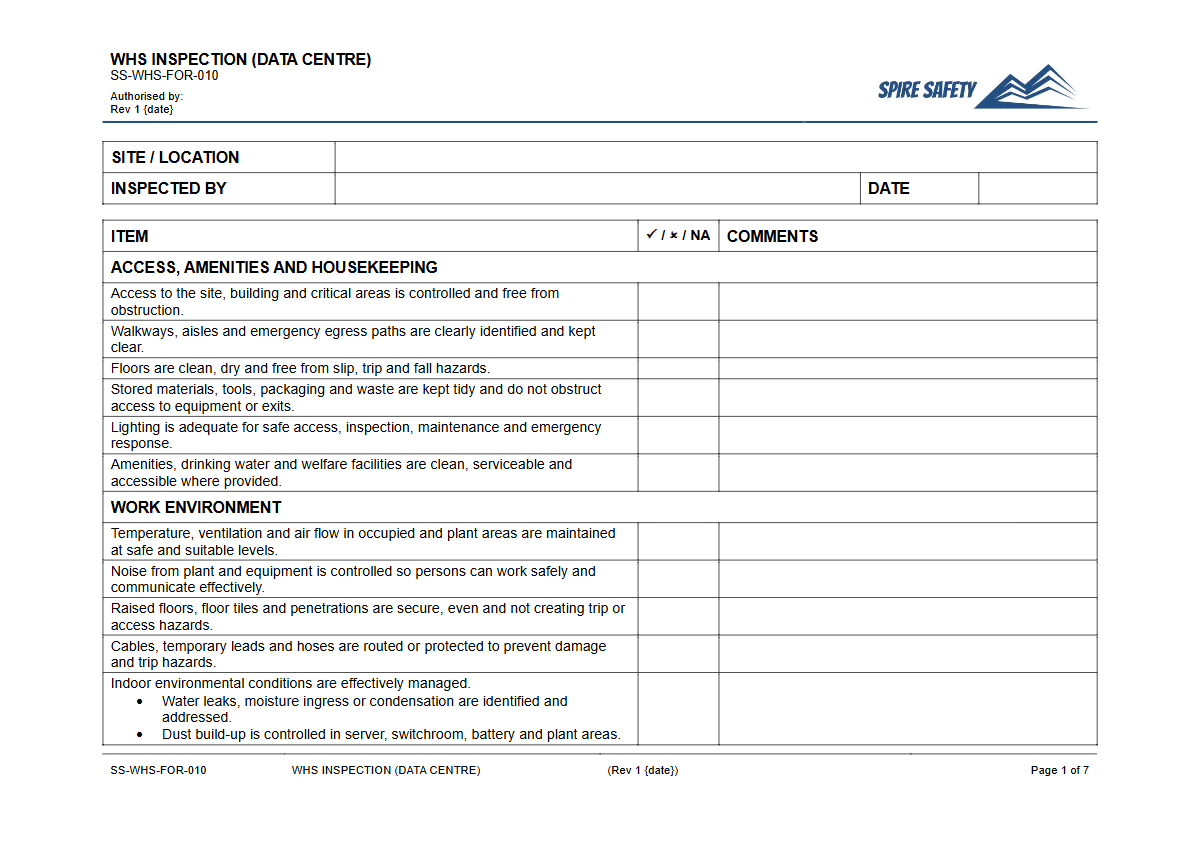
Our Free WHS Inspection (Data Centre) Template provides a structured starting point for systematically identifying and controlling hazards related to server racks, power distribution units (PDUs), uninterruptible power supplies (UPS), cooling systems, and physical security. Using a dedicated template helps ensure that critical safety checks are not overlooked, fostering a safer working environment for staff and protecting mission-critical infrastructure. This document serves as a key record within a robust framework for your WHS management systems.
Video walkthrough
How to use the Free WHS Inspection (Data Centre) Template
This template is designed to be a comprehensive foundation for your site-specific inspection process. Start by downloading the DOCX version, which is fully editable.
Walk through your facility and add, remove, or modify checklist items to reflect the actual equipment, layout, and operational procedures of your data centre. Consider specific hazards like raised floor stability, underfloor cabling integrity, and the condition of fire suppression systems.
Important: This is a template, not a finished document. For it to be effective, we strongly recommend you customise it to your specific workplace. Every data centre is different, and your inspection checklist must address the unique risks present at your site. You might need to add checks for handling heavy server equipment, similar in principle to the safety verifications in our Free Pre-Start Checklist (Electric Hoist) Template.
When to use it
The frequency of data centre inspections should be determined by a risk assessment. A practical approach often involves multiple tiers:
- Daily: Quick visual checks of key areas, looking for obvious faults, warning lights on equipment, spills, or obstructions in walkways.
- Weekly: More detailed checks of specific systems, such as verifying access control logs, checking fire extinguisher pressure gauges, and spot-checking cable management.
- Monthly/Quarterly: A comprehensive inspection covering all items on the checklist, including less-frequently accessed areas like plenums or service corridors.
Additionally, an inspection should be conducted after any significant change, such as the installation of new server racks, major electrical work, or following a safety incident or near miss. Regular inspections are a core component of effective WHS compliance auditing, providing documented evidence of proactive hazard management.
Who should use it
This Inspection template should be used by personnel with the competence and training to recognise data centre-specific hazards. This typically includes:
- Data Centre Managers
- Facilities Managers
- WHS/OHS Officers or Managers
- Senior Technicians or Engineers
The individuals performing the inspection must understand the risks associated with high-voltage electricity, cooling system mechanics, and emergency procedures. Their training should also cover facility access controls, which are as vital for safety as they are for security, sharing principles with the checks detailed in our Free Pre-Start Checklist (Boom Gate) Template. For the identified corrective actions to be effective, they must be assigned to competent persons with clear deadlines for completion.
Effectively managing thermal risks is also crucial, much like ensuring the operational safety of refrigeration units using a Free Pre-Start Checklist (Freezer) Template. This process of continuous monitoring and improvement is fundamental to maintaining a safe operational environment. Explore our complete free WHS resources library for more tools to support your safety management program.
Common mistakes
Common mistakes to avoid
- Neglecting to inspect underfloor or overhead cable trays for damage, overheating, or pests.
- Focusing only on IT equipment while ignoring facility-level risks like HVAC, fire suppression, and building access controls.
- Failing to update the inspection checklist after installing new equipment or changing the facility layout.
- Treating the inspection as a 'tick-and-flick' exercise without creating and tracking corrective actions for identified issues.
Legal references
Legal considerations
The following legal requirements may be relevant to this type of work.
- Work Health and Safety Act (Harmonised) — Provides the primary duties for protecting workers and other people from work health and safety risks.
- Work Health and Safety Regulations (Harmonised) — Sets out requirements supporting the management of workplace hazards and risks.
The following codes may be relevant to this type of work.
- Managing WHS Risks Code of Practice — Provides practical guidance on identifying hazards, assessing risks and applying effective controls.
- Work Health and Safety Consultation, Cooperation and Coordination Code of Practice — Provides practical guidance on consulting workers and coordinating with other duty holders.
- Managing the Work Environment and Facilities Code of Practice — Provides practical guidance on safe work environments, workplace facilities and related controls.
Did you know
Cooling is Key
Data centre cooling systems can consume up to 40% of the facility's total energy, making them a significant operational hazard source and cost centre if not properly maintained.
PUE Standard
Power Usage Effectiveness (PUE) is the standard metric for data centre energy efficiency. A PUE of 1.0 is the theoretical ideal, where 100% of the energy powers the IT equipment itself.
FAQ
Frequently asked questions
01What are the biggest WHS risks in a data centre?
02How often should a data centre be inspected for safety?
03Is this data centre inspection template aligned with Australian WHS laws?
04Can I use this template for ISO 45001 certification?
Share this resource
Free WHS Inspection (Data Centre) Template
Browse Categories
How To Use It
- 1Download and open in Word or PDF.
- 2Replace the placeholders with your business details.
- 3Get it reviewed by a WHS specialist before rollout.
Need it customised?
Our WHS consultants can adapt this template to your site, run a gap analysis, or audit what you already have in place.
Book a Free Consultation WHS consulting servicesor call 1300 156 382